
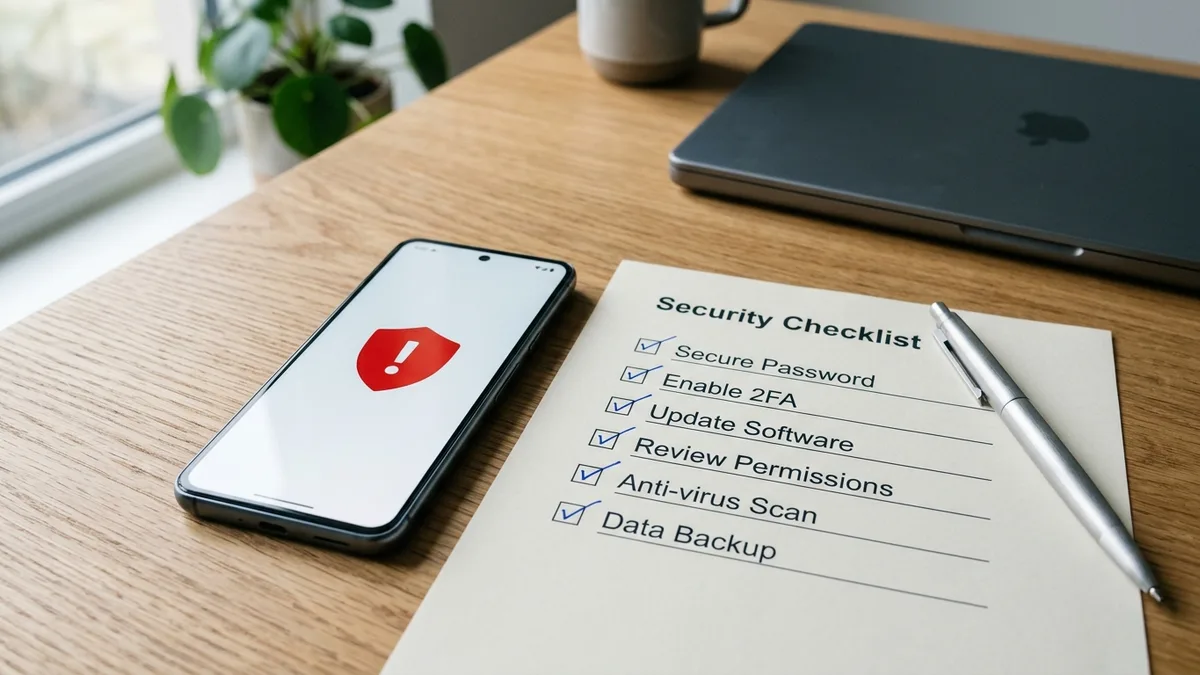
If your WordPress website is hacked in Malaysia, immediately isolate the hosting account, export a raw database backup, and replace all core WordPress directories from an official WordPress.org archive. Rotate all security salts to kill rogue sessions, block PHP execution in the uploads folder, and submit a detailed security review in Google Search Console to remove search blacklists.
Waking up to find your company website hijacked is every business owner’s nightmare.
One morning, an existing client messages you on WhatsApp:
“Boss, why does your website link redirect me to an illegal online casino registered in Cambodia?”
You quickly open your laptop, type your domain into Google Chrome, and see your normal homepage. You think your client made a mistake. But when you test it on your smartphone via a Google search, your screen turns red with a terrifying warning:
“Deceptive site ahead: Attackers on this site might trick you into installing programs or revealing your personal information.”
Worse, your Malaysian hosting provider (like Exabytes, ServerFreak, or Hostinger) sends an urgent automated email stating your cPanel hosting account has been suspended due to excessive CPU utilization and outbound phishing abuse. Cheap shared hosts often suspend accounts without assisting in malware remediation; if your host lacks isolated resources, review our guide on how to choose reliable web hosting in Malaysia.
I am Vern Chun from Milaos. I build, repair, and maintain secure business websites for Malaysian companies. In this emergency guide, I will share the exact protocols used by enterprise security engineers: how to identify cloaked redirects, clean malware without destroying your database, close common entry backdoors, and get Google to restore your organic search rankings.
1. The 3 Common Attack Symptoms in Malaysia: What Happened?
Modern automated hacker syndicates rarely deface homepages with political slogans. Instead, they treat your website as digital real estate to generate underground revenue:
| Attack Symptom | How It Manifests | Hacker Objective | Impact on Your Business |
|---|---|---|---|
| Japanese Keyword Hack / SEO Spam | Google search results for your brand display thousands of Japanese or Chinese pharmaceutical, gambling, or counterfeit luxury goods links. | Hijack your domain accumulated SEO authority (Domain Authority) to rank black-hat keywords on Google. | Immediate destruction of your organic search rankings; Google de-indexes your legitimate business service pages. |
| Mobile & Referrer Cloaking Redirect | Typing yourwebsite.com directly in a browser loads normally. But clicking your link from Google on a mobile phone redirects visitors to gambling or crypto scams. | Steal legitimate commercial traffic and funnel Malaysian mobile buyers into illegal affiliate networks while hiding from administrators. | Zero online leads; catastrophic loss of brand trust; customers report your business to authorities. |
| Silent Crypto Miner & Phishing Shell | Website appears unchanged on the surface, but runs agonizingly slow. Hosting provider sends an account suspension notice. | Use your server CPU to mine cryptocurrency or use your email SMTP server to send mass banking phishing emails. | Entire website taken offline by your web host; email domains blacklisted across global spam databases. |
Why Did Your Site Look Fine on Your Desktop? (The Cloaking Trick)
The most insidious weapon used by malicious scripts is conditional cloaking.
The injected PHP script checks the visitor’s User-Agent and HTTP_REFERER. If it detects you are browsing from an internal IP, an authenticated administrator session, or a direct desktop URL bar, it serves clean, normal content.
However, if it detects the visitor came from google.com.my on an iPhone or Android device, it silently executes a 302 Found header redirect to their scam network. To clean your site, you must evaluate what Google actually sees, not just what your desktop browser shows.
2. Emergency Recovery: The 5 Steps Top Security Engineers Follow
Amateur tutorials advise installing three different security plugins and clicking “scan.” In 90% of real-world infections, this causes the server to time out and leaves backdoor web shells hidden in unexpected folders.
Follow this systematic 5-step engineering recovery protocol:
Step 1: Put Up a Static Maintenance Screen & Quarantine the Site
Before running scans, stop the infection from spreading across your shared hosting account or damaging incoming visitors:
- Change cPanel / Hosting Passwords: Immediately reset your primary hosting control panel password, SFTP credentials, and MySQL database passwords.
- Download an Offline Emergency Backup: Using cPanel File Manager or SFTP, download your entire
public_htmldirectory and export your raw MySQL database via phpMyAdmin. Store this in an isolated archive folder on your local machine. - Block Public Traffic via
.htaccess: Temporarily redirect external visitors to a clean static HTML maintenance page so your domain does not serve malware to more customers during repair.
Step 2: The “Nuclear” Core Cleanse (Never Hand-Clean Core Files)
Hackers frequently modify core system files like index.php, wp-blog-header.php, or files inside /wp-includes/. Trying to manually edit hundreds of infected PHP files by hand is foolish.
Instead, execute a clean core replacement:
- Download a fresh, verified
.zipcopy of your exact WordPress version directly from WordPress.org Releases. - On your server, completely delete the
/wp-admin/and/wp-includes/directories. - Extract and upload the fresh
/wp-admin/and/wp-includes/folders from the clean download. - Replace all root files (such as
index.php,wp-login.php,wp-settings.php) with pristine copies from the fresh download. - DO NOT delete or overwrite
wp-config.phpor your/wp-content/directory, as these contain your database connection settings and uploaded images.
# If you have SSH / WP-CLI terminal access, verify core file integrity instantly:
wp core verify-checksums
If WP-CLI reports files with modified MD5 hashes, you can replace them in seconds with zero guesswork.
Step 3: Hardening the Uploads Directory (Closing the #1 Backdoor Vector)
The /wp-content/uploads/ directory is designed exclusively for media assets (JPG, PNG, WEBP, PDF). It should never execute PHP code.
Hackers exploit vulnerabilities in old plugins (like outdated contact form builders or slider extensions) to upload malicious files disguised as logo.png.php or shell.php directly into upload subfolders.
Create a new .htaccess file inside /wp-content/uploads/ and add the following directive:
# Block direct execution of PHP scripts in the uploads folder
<Files *.php>
deny from all
</Files>
With these 4 lines of code in place, even if an attacker manages to bypass a form and upload a web shell, your web server will return a 403 Forbidden error when they attempt to run it.
Step 4: Rotate Security Salts & Flush Rogue Admin Sessions
Cleaning files is useless if the attacker still holds an active, authenticated session cookie in their browser.
- Open a web browser and visit the official WordPress Salt Generator:
https://api.wordpress.org/secret-key/1.1/salt/ - Copy the 8 generated lines of random cryptographic keys.
- Open your server
wp-config.phpfile, locate the section starting withAUTH_KEY,SECURE_AUTH_KEY,LOGGED_IN_KEY, andNONCE_KEY, and replace them with the fresh keys. - In
wp-config.php, add these two security lockdown flags directly above the/* That's all, stop editing! Happy publishing. */line:
// Disable web-based code editing and arbitrary plugin installations
define( 'DISALLOW_FILE_EDIT', true );
define( 'DISALLOW_FILE_MODS', true );
This single action instantly invalidates every active cookie across the globe, forcing all users (including the attacker) to log in again. Furthermore, it disables the theme and plugin code editors in your WordPress dashboard, preventing compromised accounts from modifying code via the browser.
Step 5: Check Rogue Users & Database Cron Injections
Log in to your WordPress dashboard and perform two critical audits:
- Audit Users (
Users -> All Users): Look for unfamiliar usernames assigned the Administrator role. Attackers often create subtle names likewp_support,backup_admin, or strings of random letters. Delete them immediately and attribute any content to your primary verified user. - Audit Database Crons & Transients: Attackers frequently hide base64-encoded strings inside the
wp_optionstable (specifically under transient options orcron). Use a trusted database inspection tool or security scanner to purge rogue scheduled cron tasks that silently re-download malware every midnight.
3. How to Prove Your Site Is Truly Clean: The Googlebot Cloaking Test
Do not assume your website is safe just because your personal browser opens it without issues. Prove it using an external terminal test.
Open your computer terminal (PowerShell, macOS Terminal, or Linux) and run this command:
# Fetch your website pretending to be Googlebot originating from a Google search:
curl -I -A "Googlebot" -e "https://www.google.com" https://yourwebsite.com
How to Read the Output:
- Clean Result: The server returns
HTTP/1.1 200 OK(orHTTP/2 200). This confirms Google crawler receives your authentic, uncorrupted page. - Infected / Cloaked Result: The server returns
HTTP/1.1 301 Moved PermanentlyorHTTP/1.1 302 Found, followed by aLocation: https://some-sketchy-domain.xyzheader. If you see this, a backdoor redirection script is still active in your.htaccess, Nginx configuration, or database transients.
4. How to Remove the “This Site May Be Hacked” Warning on Google
Once you have verified that your website is clean and returns a proper 200 OK status to Googlebot, you must manually request a review in Google Search Console:
- Log in to Google Search Console.
- In the left navigation menu, expand Security & Manual Actions and click Security Issues.
- You will see flags such as “Deceptive pages”, “Malware”, or “Harmful downloads”.
- Click the blue Request Review button.
- In the explanation box, do not just write “I fixed it.” Automated safety reviewers require concrete evidence. Use this proven template:
Remediation Report for [Your Domain]:
1. Fully audited and removed infected files across public_html.
2. Replaced all WordPress core files (/wp-admin and /wp-includes) with pristine official checksums from WordPress.org.
3. Removed unapproved plugin extensions and updated all active plugins to their latest secure versions.
4. Blocked PHP script execution inside /wp-content/uploads/ directory.
5. Rotated all 8 WordPress security authentication keys and salts in wp-config.php.
6. Verified with curl that Googlebot requests return clean 200 OK headers without conditional redirects.
Please re-crawl our site and remove the security warning. Thank you.
Google automated review bots will inspect your site within 24 to 72 hours. Once cleared, the red warning screen in Chrome and the “This site may be hacked” label in search results will disappear automatically.
5. Cost Comparison: Fixing a Hacked Website in Malaysia
When an attack strikes, what are your realistic financial options?
| Recovery Approach | Typical Cost (RM) | Turnaround Time | Risk of Re-Infection | Best Suited For |
|---|---|---|---|---|
| DIY Cleanup via Free Plugins | RM0 (Your time) | 2–5 days of trial and error | High (60%–80%): Automated plugins usually miss hidden database crons and shell backdoors. | Hobby bloggers with zero budget and basic server administration skills. |
| Cheap Fiverr / Freelancer Fix | RM150–RM400 | 1–2 days | Very High: Overseas gig workers often run an automated scanner, delete a few files, but leave root vulnerabilities unpatched. | Sites with non-critical data where uptime does not impact daily business revenue. |
| Professional Clean & Hardening (Milaos) | RM800–RM1,800 (One-off) | 12–36 hours | Very Low: Complete checksum verification, salt rotation, database scrubbing, and GSC blacklist clearance. | Established Malaysian businesses, corporate service firms, and active eCommerce shops. |
| Static Architecture Rebuild (Astro) | RM2,500–RM4,500 (Permanent) | 1–2 weeks | Zero: Entire website converted to static HTML hosted on Cloudflare edge. No database or PHP engine to attack. | Companies tired of endless WordPress updates, plugin renewal fees, and security anxiety. |
If you need emergency assistance restoring a hacked business website, review our WordPress Maintenance and Security Recovery packages or message me directly for a swift assessment.
6. The Permanent Cure: Why WordPress Gets Hacked vs Why Static Sites (Astro) Cannot Be
Understanding why your site was targeted in the first place is the key to preventing future emergencies.
WordPress powers over 40% of the global web. Because it is built on dynamic PHP execution connected to a MySQL database, every additional plugin you install expands your attack surface.
If a slider plugin or contact form author in Germany or the US abandons their project and a security researcher discovers an SQL injection flaw, automated bots scan the entire internet targeting every Malaysian website running that plugin.
[Traditional WordPress Architecture]
User Request ──> Web Server ──> PHP Execution ──> MySQL Database Query ──> HTML Rendered
                                       ▲
                           [Attack Surface Everywhere]
                   (Plugin Vulnerabilities, SQL Injections, wp-login Brute Force)
In contrast, modern high-performance frameworks like Astro follow an entirely different security philosophy:
[Modern Astro Static Architecture]
User Request ──> Cloudflare Edge Network ──> Pre-Built Read-Only HTML File Delivered
                                     ▲
                       [Zero Attack Surface on Server]
(No Database to Query, No PHP to Exploit, No Admin Login to Crack)| Security Dimension | Traditional WordPress Website | Modern Static Website (Astro + Cloudflare) |
|---|---|---|
| Admin Login Page | Publicly accessible /wp-login.php, targeted by brute-force password bots 24/7. | Non-existent: No public web login screen exists for hackers to attack. |
| Database Injections (SQLi) | Vulnerable to SQL injection flaws in third-party search and filter plugins. | Zero Database: Content is pre-compiled into static HTML files at build time. |
| Executable Script Abuse | Malicious PHP scripts can be executed inside upload folders. | Zero Executable Backend: Static CDNs serve files as pure assets, refusing server-side code execution. |
| DDoS Attack Vulnerability | A surge of 500 simultaneous visits can overwhelm cheap cPanel shared hosting CPU. | Enterprise Edge Immunity: Backed by Cloudflare global anycast network absorbing massive traffic bursts. |
| Maintenance Burden | Requires weekly plugin updates, security patch testing, and backup monitoring. | Zero Maintenance Overhead: Code never rots; no plugin updates required to remain secure. |
7. What Should You Do Right Now?
If your website is currently hijacked, timing is critical:
- Do not delay: Every hour your domain redirects to illegal sites damages your Google trust score and burns through your customer goodwill.
- Follow the 5-step checklist above: Isolate your account, replace core directories with clean official files, block PHP execution in
/uploads/, and rotate your security keys. - Audit your long-term setup: If your company website is purely informational (showcasing your company profile, past projects, clinic services, or contractor portfolio), ask yourself honestly:
Why are you paying monthly maintenance fees and risking your business reputation on an over-complicated dynamic WordPress system when an unhackable, lightning-fast static site can solve your business needs permanently?
If you want a professional engineer to audit your compromised files, purge malware safely, and restore your Google search standing, explore our transparent website maintenance plans or schedule a consultation with Vern Chun today. Once your site is restored, preventing future compromises requires disciplined upkeep; learn how weekly updates and offsite backups protect your domain in our guide on what WordPress maintenance actually includes.
FAQ
Why does my WordPress website look normal to me, but redirects customers to gambling sites?
Hackers use user-agent and referrer cloaking. The malicious script detects whether you are logged in as an administrator or typing your URL directly, serving you clean pages. However, when a visitor clicks your link from a Google search or visits on a mobile phone, the script triggers a silent redirect to illegal casino platforms.
How long does it take for Google to remove the 'This site may be hacked' warning?
Once you have completely removed the malware, patched the root vulnerability, and submitted an official reconsideration request in Google Search Console with detailed remediation notes, Google automated review algorithms typically verify the site and remove the warning within 24 to 72 hours.
Why did my hosting provider (Exabytes, ServerFreak) suspend my WordPress account?
When a WordPress site is compromised, hackers often install background scripts that send thousands of phishing emails or participate in distributed denial of service (DDoS) botnets. Malaysian hosting providers monitor shared CPU usage and outbound spam, automatically suspending accounts that violate server safety thresholds.
Can I just install a security plugin like Wordfence to clean an infected site automatically?
Security plugins can scan and quarantine known malicious signatures, but automated cleanups often fail to remove custom backdoor web shells, hidden database cron jobs, or rogue administrator accounts. For thorough recovery, you must manually replace core directories, rotate security salts, and patch the original plugin exploit.
How much does professional hacked website recovery cost in Malaysia?
Professional emergency malware removal and security hardening in Malaysia typically ranges between RM800 and RM2,500 per site, depending on database contamination and search engine blacklist status. Ongoing monthly maintenance and monitoring usually costs RM300 to RM600 per month.