
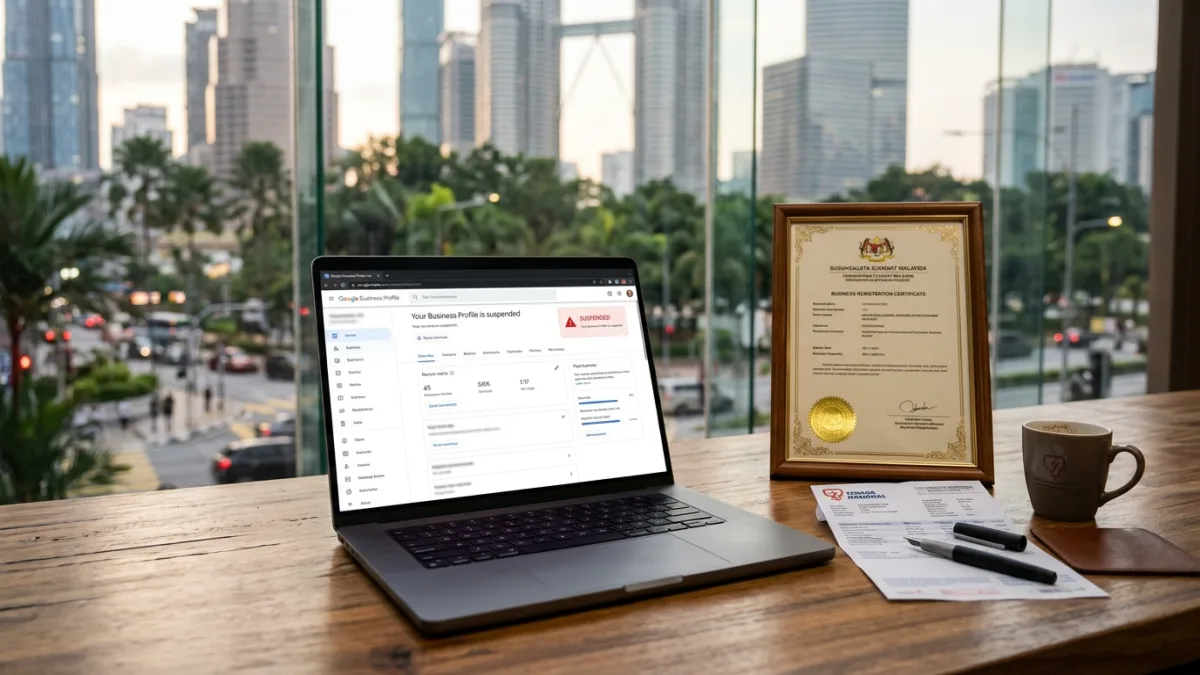
If your Google Business Profile is suspended in Malaysia, do not panic or create a duplicate listing. Fix the root profile violation first, gather your official SSM business registration (Borang D or Section 17) along with a recent TNB or water utility bill matching your exact business name and address, and submit them through the official Google Business Profile Appeals Tool with clear evidence.
Waking up to see your Google Business Profile marked as “Suspended” or “Disabled” is one of the most stressful emergencies for any Malaysian business owner.
Yesterday, your phone was ringing with customer calls from Google Maps searches. Today, your listing has completely vanished from the Local 3-Pack. Your regular customers cannot find your directions, your Google reviews are invisible, and your daily inbound WhatsApp enquiries have dropped to zero.
The immediate impulse for many contractors, clinic managers, and retail operators is to frantically click “Submit Appeal” without changing anything, or worse, register a brand new listing under a different Gmail account. Doing either usually turns a temporary suspension into a permanent ban.
I am Vern Chun from Milaos. I design high-converting websites and optimize Local SEO for Malaysian businesses. In this field guide, I will walk you through the exact verification protocol required by Google: why profiles get flagged in Malaysia, which official documents Google actually accepts, and how to successfully reinstate your Google Maps listing.
1. Why Was Your Profile Suspended? The 4 Common Malaysian Triggers
Google algorithms enforce strict anti-spam defenses to prevent fake lead-generation listings. In Malaysia, over 90% of suspensions stem from one of four common compliance triggers:
| Suspension Reason | Common Malaysian Scenario | Why Google Algorithms Flag It |
|---|---|---|
| Deceptive Content / Misrepresentation | Business name stuffed with keywords: “Aircond Service Subang Jaya Best Cheap Aircon Repair” instead of your registered company name. | Google guidelines strictly prohibit adding promotional keywords, slogans, or location suffixes to your real trade name. |
| Residential Address on Public Display | Home renovators, electricians, or freelance consultants displaying a terrace house or condo unit address as a public walk-in storefront. | If customers cannot walk in during business hours without prior appointment, displaying a physical address violates Google Maps policy. |
| Virtual Office or Co-working Space Address | Renting a mailbox or virtual desk in KL Sentral or Mid Valley purely to rank in central Kuala Lumpur without dedicated signage. | Shared maildrops, P.O. boxes, and unstaffed virtual offices are systematically purged by Google anti-spam sweeps. |
| Rapid Edits to Critical Core Data | Changing your business name, primary category, phone number, and physical address in a single afternoon. | Sudden changes to core trust signals automatically trigger fraud detection bots, demanding immediate re-verification. |
Hard Suspension vs. Soft Suspension
- Soft Suspension: Your listing is unverified. Your business details remain visible on Google Search and Maps, but you lose access to manage reviews, update hours, or edit posts in your dashboard.
- Hard Suspension: Your entire listing is removed from Google Maps and search results. Direct links to your profile display a 404 error. This requires formal document submission via the Appeals Tool.
2. The Verification Document Stack: What Google Malaysia Accepts
When Google evaluates an appeal, the human reviewer or automated validation system checks whether your digital listing matches an authentic, legally registered physical entity in Malaysia.
Generic business cards, invoices you created yourself, or social media screenshots are rejected immediately. You must prepare official, government-backed and institutional documents:
[Level 1: Legal Registration]
  ↳ SSM Sijil Perakuan Pendaftaran (Borang D / Borang E) OR
  ↳ SSM Certificate of Incorporation (Section 17 / Form 9)
        +
[Level 2: Physical Location Proof]
  ↳ Tenaga Nasional Berhad (TNB) electricity bill (dated within 90 days) OR
  ↳ State Water Board bill (Air Selangor, PBA, SAJ, SAMB) OR
  ↳ Telekom Malaysia (Unifi) fixed broadband bill
        +
[Level 3: Operational Reality Proof]
  ↳ Commercial outdoor signboard with company name & logo
  ↳ PBT Premise License (Lesen Perniagaan DBKL, MBPJ, MBSA, MBSJ, etc.)
  ↳ Branded company service vehicles (for home service contractors)
Document Matching Rules: The Zero-Tolerance Checklist
- Exact Name Match: The business name on your SSM document must match the business name on your Google Business Profile. If your SSM name is “Chun Engineering Enterprise”, do not name your GBP “Chun Engineering Aircond Service & Repair Specialists”.
- Exact Address Match: The address printed on your TNB or water bill must match your profile coordinates down to the street name, shoplot unit, and postcode.
- Freshness: Utility statements must be issued within the last 3 months. Bills with past-due legal warnings or disconnected statuses damage your trust score.
3. Special Case: Home-Based & Service Area Businesses (SAB)
A massive percentage of suspended profiles belong to Malaysian mobile services: plumbers, aircond repairers, mobile mechanics, locksmiths, and renovation contractors who operate from home.
If your registered address is a residential house in Subang, Puchong, or Klang, do not attempt to verify it as a storefront. You will fail.
How to Fix a Home-Based Service Business
- Clear the Physical Street Address: In your Google Business Profile dashboard settings, clear the street address fields completely.
- Toggle On “Service Area”: Define up to 20 realistic geographic territories (for example: Petaling Jaya, Subang Jaya, Shah Alam, Puchong, Kuala Lumpur). Keep your service radius within a 2-hour driving distance.
- Vehicle and Tool Evidence: Instead of an outdoor shop signboard, photograph your liveried company van or pickup truck displaying your registered business name, logo, and Malaysian phone number. Include photos of branded invoices, work uniforms, and professional equipment.
For a detailed walkthrough on setting up service-area boundaries, read our guide on service area businesses on Google Maps.
4. Step-by-Step Appeal Process: The 60-Minute Window
Google utilizes an interactive Appeals Tool. Once you initiate an appeal, you must complete the document submission within a single continuous session.
[Step 1: Audit Profile]   → Remove keyword stuffing, fix address, verify category
        ↓
[Step 2: Collect Proof]   → Merge SSM, TNB bill, and signage photos into clean PDFs
        ↓
[Step 3: Open Tool]       → Access Google Business Profile Appeals Management Tool
        ↓
[Step 4: Submit & Upload] → Submit appeal and upload proof within the 60-minute window
        ↓
[Step 5: Monitor Status]  → Track status: Submitted → In Review → Approved
Step 1: Fix Every Violation Before Clicking Appeal
Reviewers inspect your live profile when deciding an appeal. If you submit proof for “Syarikat ABC”, but your profile title still says “Syarikat ABC Best Plumbing PJ Cheap”, your appeal will be denied within minutes. Strip out all spam words first.
Step 2: Assemble Your Evidence Package
Prepare a clean, compressed PDF folder containing:
- SSM Company Profile (full printout showing business owners/directors)
- Recent TNB or Unifi bill showing the premise address
- Wide-angle photograph showing your building exterior, street sign, and permanent commercial signboard
- Interior photograph showing your reception counter, staff workstations, or workshop inventory
Step 3: Access the Official Appeals Tool
Navigate directly to the official Google portal:
https://support.google.com/business/workflow/1356969
- Select the Gmail account associated with the suspended listing.
- Select your suspended profile from the dropdown list.
- The tool displays the exact reason for suspension (e.g. Deceptive content or Policy violation).
- Click “Submit an appeal”.
- Upload your consolidated PDF evidence file.
- In the text explanation box, write a concise, respectful summary:
“Dear Google Reinstatement Team, our business, [Registered Business Name], has been serving local customers in [City, State] since [Year]. We have corrected our profile name to match our official SSM registration exactly. Attached please find our valid SSM Certificate (Borang D), current Tenaga Nasional Berhad utility invoice, and commercial premise photos verifying our operational legitimacy. We kindly request reinstatement of our listing.”
Once Google approves your appeal, your profile may take 24 to 48 hours to fully repopulate on search results and map pins. If your listing is reinstated but still cannot be found by nearby searchers, work through our diagnostic checklist on why your business is not showing on Google Maps to test local ranking and search distance.
5. What If You Are Prompted for Video Verification?
In 2025 and 2026, Google frequently bypasses paperwork in favor of Live or Recorded Video Verification via mobile phone.
When prompted to record a verification video, follow these guidelines to pass on your first attempt:
| Video Phase | What You Must Capture on Camera | Audio & Action Guidance |
|---|---|---|
| Exterior & Surroundings | Start outside your shop or building. Capture the street name sign, neighbouring businesses, and your building street number. | Keep the camera moving smoothly in one single, uncut take. Do not edit or splice clips. |
| Signboard & Entrance | Walk up to your entrance. Show your permanent exterior signboard, operating hours sticker, and glass door branding. | Unlock the front door with your key to prove authorized physical ownership. |
| Interior & Operations | Walk inside. Show staff at work, branded reception counter, POS cash register, and marketing collateral on display. | Open staff-only doors, point out point-of-sale systems, or show your administrative laptop. |
| Legal Documentation | Lay your physical SSM certificate and paper utility bill on a desk. | Zoom in clearly for 3 seconds so text and registration numbers are legible. |
6. What If Your Appeal Is Rejected?
If you receive an automated email stating “Your appeal has not been approved”, do not open a new Google account to re-create the business.
Follow this escalation procedure:
- Request a Second Review via the Appeals Tool: The Appeals Tool allows one additional submission if new, incontrovertible evidence can be provided (such as an approved PBT commercial premise license or certified lease agreement).
- Escalate to the Google Business Profile Community Forum:
- Visit the official Google Business Profile Help Community.
- Post a detailed, calm explanation with your Case ID number from your appeal confirmation email.
- Volunteer Google Product Experts (Gold/Platinum PEs) have direct internal escalation paths to human Google engineering teams if you can prove your business is authentic.
- Verify Your Website Anchor: Ensure your official website (
https://yourdomain.com) features correct schema markup, matching NAP details, and a clear contact page. AI algorithms inspect your linked website to cross-reference business credibility.
If your local business needs an authoritative website architecture or technical local search overhaul, request our free SEO review to inspect your visibility foundations.
FAQ
How long does Google take to review an appeal for a suspended Business Profile in Malaysia?
Google automated systems and manual appeal specialists generally process submitted reinstatement appeals within 3 to 7 business days. If additional evidence or manual review is required, cases may take up to 14 working days.
What should home-based service contractors (aircond, plumbing) do if suspended for address issues?
Convert your profile to a Service Area Business (SAB) by clearing the physical street address in your dashboard and specifying your coverage areas (e.g. Petaling Jaya, Subang Jaya). Residential homes without customer-facing commercial signage violate Google guidelines.
Can I create a new Google Business Profile while my current listing is suspended?
Never create a replacement profile. Google algorithm flags duplicate businesses with identical phone numbers, domains, or coordinates. Creating a second profile marks your business as fraudulent and can trigger a permanent blacklist of your Google account.
Which utility bills does Google accept for Malaysian business reinstatement?
Google accepts official recurring utility bills issued within the last 90 days matching your exact registered business name and address: Tenaga Nasional Berhad (TNB), Air Selangor (or regional water boards), and Telekom Malaysia (Unifi). Mobile phone bills and credit card statements are regularly rejected.
What is the 60-minute evidence window in the Google Appeals Tool?
Once you click 'Submit Appeal' in the European and global Google Appeals workflow, Google opens an upload window that must be completed within 60 minutes. Prepare your high-resolution SSM PDF, utility invoice, and premise photos before initiating the appeal.