
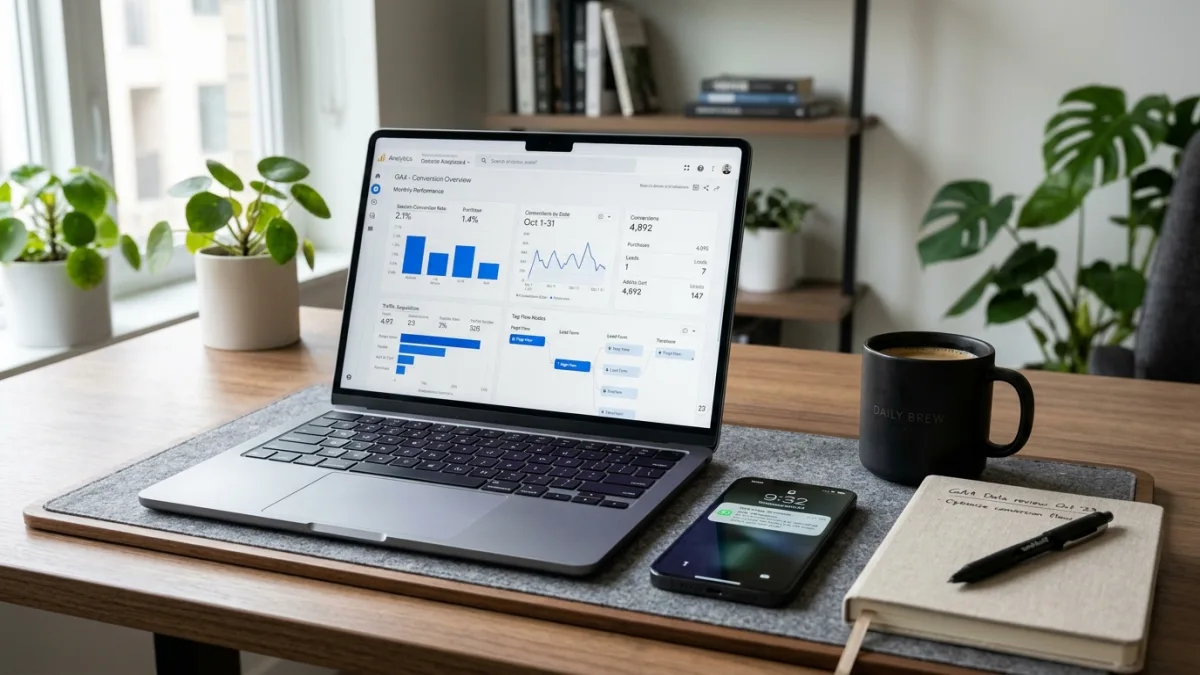
To track WhatsApp button clicks in Google Analytics 4 and Google Ads, create a Click Trigger in Google Tag Manager targeting link URLs containing wa.me or api.whatsapp.com. Send this event to GA4 as generate_lead with parameter lead_type: whatsapp, mark it as a Key Event, and import it into Google Ads to train Smart Bidding algorithms.
In Malaysia, almost nobody fills out traditional 8-field website inquiry forms.
Whether you are running an air conditioning repair business in Subang, a dental clinic in Bangsar, or an industrial fabrication factory in Shah Alam, your customers want one thing: to chat directly with a real human on WhatsApp immediately.
Because of this consumer habit, local business owners invest thousands of Ringgit into Google Search Ads and SEO campaigns pointing to landing pages with prominent green WhatsApp floating buttons.
Then, they open their Google Ads dashboard and see a horrifying picture:
Cost: RM3,500 | Impressions: 42,000 | Clicks: 1,800 | Conversions: 0
Because Google Ads reports zero conversions, Google automated bidding algorithms assume your landing page is a complete failure. The algorithm either stops spending budget on high-intent keywords or blindly dumps ad money into low-quality search terms that deliver accidental clicks.
I am Vern Chun from Milaos. I build high-performing web design and manage data-driven SEO services for Malaysian businesses, configuring accurate analytics architectures that track real commercial return. In this guide, I will give you the exact, no-fluff technical standard operating procedure (SOP) to set up WhatsApp conversion tracking in Google Tag Manager, GA4, and Google Ads so you can see your true return on ad spend.
1. The Tracking Problem: Why Doesn’t GA4 Track WhatsApp Automatically?
When a visitor browses your website, the Google Analytics 4 tag tracks their actions within the boundaries of your domain: page views, scroll depth, session duration, and internal link clicks.
However, the moment a user clicks your WhatsApp button (https://wa.me/60123456789), they leave your browser session and are handed over to the external WhatsApp desktop application or mobile app.
[Visitor on Your Website]
          ↓ (Clicks Green WhatsApp Button)
[Browser Leaves Domain] ──> Disconnects Web Session Cookies
          ↓
[WhatsApp App Opens]    ──> External Encrypted Application (No Google Tracking Script)
Because WhatsApp does not run your website tracking scripts inside their private messaging servers, you cannot track whether the user actually sent the text message using pure web analytics.
What you can and must track with 100% precision is the outbound button click event that initiated the chat handoff.
2. Setting Up the Trigger in Google Tag Manager (GTM)
Google Tag Manager (GTM) is the most reliable, clean, and flexible way to configure this tracking without hardcoding messy JavaScript into your website theme files.
Step 1: Enable Built-In Click Variables
- Log into your Google Tag Manager container at
tagmanager.google.com. - In the left navigation, click Variables.
- Under the Built-In Variables panel, click Configure.
- Scroll down to the Clicks section and check all six boxes:
Click ElementClick ClassesClick IDClick TargetClick URLClick Text
[Built-In Variables Configuration]
  [x] Click URL     <-- Critical: Detects wa.me destination
  [x] Click Text    <-- Captures button label ("Chat on WhatsApp")
  [x] Click Classes <-- Identifies specific CSS button classes
Step 2: Create the WhatsApp Click Trigger
- In GTM, navigate to Triggers and click New.
- Name the trigger:
Click - WhatsApp Outbound Link. - Choose trigger type: Click - Just Links (or Click - All Elements if your button wraps SVG icons or spans).
- Under “This trigger fires on”, select Some Link Clicks.
- Set the rule condition:
Click URL->contains->wa.me
(Optional secondary condition: orClick URLcontainsapi.whatsapp.com) - Click Save.
Trigger Configuration:
Type: Just Links
Fire on: Some Link Clicks
Condition: Click URL contains wa.me
3. Creating the GA4 Event Tag in GTM
Now that GTM knows when someone clicks a WhatsApp link, we must instruct GTM to dispatch an event payload to your Google Analytics 4 property.
Step 1: Create the Tag
- Navigate to Tags and click New.
- Name the tag:
GA4 Event - WhatsApp Click. - Choose tag type: Google Analytics: GA4 Event.
- Select your Google tag configuration (or enter your GA4 Measurement ID:
G-XXXXXXXXXX). - Set Event Name:
generate_lead
(Note: While you can name itwhatsapp_click, using Google official recommended eventgenerate_leadautomatically unlocks Google default lead attribution models and bidding algorithms).
Step 2: Define Event Parameters
Click Event Parameters and add structured contextual data:
| Parameter Name | Value | Purpose |
|---|---|---|
lead_type | whatsapp | Distinguishes chat inquiries from contact forms or phone calls. |
link_url | {{Click URL}} | Records which specific phone number or pre-filled message was clicked. |
link_text | {{Click Text}} | Records whether they clicked the header CTA, sticky bar, or footer link. |
page_location | {{Page URL}} | Identifies which specific blog post or service page produced the lead. |
Step 3: Attach Trigger and Test via GTM Preview Mode
- In the Triggering box at the bottom, select your previously created trigger:
Click - WhatsApp Outbound Link. - Click Save.
- Click Preview in the top right of GTM to enter Google Tag Assistant debug mode.
- Open your website in the debug window, click your WhatsApp button, and verify that the
GA4 Event - WhatsApp Clicktag fires underSummary -> Click. - Return to GTM and click Submit -> Publish to make the tracking live.
4. Marking the Key Event (Conversion) in GA4
Once your tag is published, events will start appearing in Google Analytics 4 within 1 to 2 hours (or instantly inside the Realtime report).
In 2024, Google rebranded “Conversions” to “Key Events” in GA4.
[GTM Event: generate_lead] ──> [GA4 Event Stream] ──> [Toggle: Mark as Key Event]- Open your GA4 property at
analytics.google.com. - Navigate to Admin (Gear Icon) -> Data display -> Events.
- Locate
generate_leadin the existing events list. - Toggle the switch: Mark as key event.
- (Alternative if the event has not fired yet): Navigate to Key Events, click New key event, enter
generate_leadexactly as typed in GTM, and click Save.
Now, every time a visitor clicks your WhatsApp button, GA4 logs it as an official conversion milestone in your acquisition reports.
5. Importing the Conversion into Google Ads for Smart Bidding
This is where your marketing ROI transforms. If you run Google Ads, feeding this conversion data back to Google machine learning models allows Smart Bidding (Target CPA or Maximize Conversions) to optimize bids for people who actually initiate chats.
[GA4 Key Event] ──(Linked Account)──> [Google Ads Conversion Action] ──> [Smart Bidding Optimization]Step 1: Link Google Ads to GA4
- Inside GA4 Admin, scroll down to Product Links -> Google Ads Links.
- Click Link, select your Google Ads Account ID, and approve all permissions.
Step 2: Import the Conversion Action in Google Ads
- Log into your Google Ads dashboard at
ads.google.com. - Navigate to Goals -> Conversions -> Summary.
- Click New conversion action.
- Choose Import -> Select Google Analytics 4 properties -> Choose Web.
- Check the box beside
generate_lead (web)and click Import and Continue.
Step 3: Configure Conversion Settings for Smart Bidding
Click on your newly imported conversion action inside Google Ads and edit its settings:
- Action optimization: Set to Primary action (used for bidding optimization).
- Count: Select One (if a user clicks WhatsApp three times in one session, count it as one unique lead).
- Attribution model: Set to Data-driven attribution (evaluates multi-touch customer journeys).
6. The Real-World Malaysian Discount Factor: Clicks vs. Real Chats
You must track data with intellectual honesty. An outbound WhatsApp button click does not equal money in your bank account. If your analytics show healthy visitor traffic but button clicks and messages are virtually nonexistent, your issue is likely user trust and page friction. Work through our checklist on why your website gets traffic but no enquiries to diagnose on-page conversion blockers.
In our audits across dozens of Malaysian home service contractors, legal firms, and ecommerce brands, we observe the following realistic conversion drop-off:
| Metric Stage | Definition | Typical Malaysian Benchmark |
|---|---|---|
| Raw Ad Click | User clicks your Google Search Ad headline and lands on your website. | 100% (Baseline) |
| WhatsApp Button Click | User clicks your floating green WhatsApp link or service CTA. | 6% to 15% of landing page visitors |
| App Handshake & Launch | User device successfully triggers and loads WhatsApp Web or native app. | 85% of button clicks |
| Message Sent (Real Lead) | User actually hits the paper airplane send button with their inquiry. | 65% to 80% of button clicks |
| Qualified Prospect | Inquiry matches your target service area, budget, and scope. | 40% to 60% of real leads |
Why Do People Click But Not Send?
- Desktop Users Without WhatsApp Web: A user browsing on an office PC clicks your WhatsApp button. When the browser prompts them to scan a QR code with their phone, they abandon the session.
- Curiosity Clicks: Users click to see if a phone number or automated bot pops up, but back out when they realize it opens their personal chat profile.
- Blank Starting Message: If your link does not include a pre-filled message, the user stares at a blank screen and leaves out of laziness.
The Fix: Pre-Filled Dynamic WhatsApp Links
Always configure your WhatsApp button URLs with clean pre-filled introductory text:
https://wa.me/60125944779?text=Hi%20Vern%2C%20I%20saw%20your%20website%20and%20need%20a%20quote%20for:
This removes cognitive friction, increases your click-to-chat conversion rate by up to 25%, and tells you immediately which service page the prospect originated from. Pairing pre-filled text with clear visual hierarchy is essential for turning clicks into signed contracts. See our complete framework for high-converting landing pages for contractors in Malaysia for layout formulas and copy placement.
7. Next Steps for Your Business
Tracking WhatsApp conversions is not optional in Malaysia; it is the single dividing line between burning ad budget blindly and running a predictable, profitable customer acquisition machine.
If your current website lacks proper event tagging, analytics architecture, or high-converting mobile layout, request our free SEO review. We will inspect your tracking foundations and show you how to turn search traffic into measurable WhatsApp inquiries.
FAQ
Why does Google Ads report zero conversions when I receive WhatsApp messages daily?
Google Analytics 4 and Google Ads do not automatically track external link clicks leading to third-party applications like WhatsApp. Without configuring a custom Click URL trigger in Google Tag Manager or a custom event script, Google algorithms cannot see when a visitor clicks your WhatsApp button.
Does a WhatsApp button click guarantee an actual customer conversation?
No. In Malaysia, typically 65% to 80% of button clicks result in an actual sent message. Users may click by accident, close WhatsApp when prompted to log in on desktop, or hesitate before sending the initial text. You must discount raw button clicks when calculating customer acquisition costs.
Should I track WhatsApp clicks as 'generate_lead' or a custom event name in GA4?
Using the recommended standard event name 'generate_lead' is optimal because Google Ads and GA4 pre-configure attribution modeling and smart bidding pipelines for standard ecommerce and lead generation events. You can pass 'whatsapp' as the 'lead_type' parameter.
How long does it take for imported GA4 conversions to appear in Google Ads?
Once you create and mark the event as a Key Event in GA4 and link your Google Ads account, it typically takes 24 to 48 hours for data to populate inside Google Ads conversion action reports.
Can I track which specific Google Ads keyword generated a WhatsApp message?
Yes. You can use dynamic URL parameters to append campaign information into the pre-filled WhatsApp message text, or capture the Google Click ID (GCLID) and UTM parameters via session cookies before the user initiates the chat.